Hey, fellow gamers and ergonomic chair crew, let’s keep this real—we all drop major cash on a solid ergonomic gaming chair, right? Not just for flexing in setup pics, but because those long raid marathons, grind sessions, and late-night ranked pushes shouldn’t leave our backs screaming or our necks cramping by game end. I run an ergonomic gaming chair supply company, and let me tell you something: even the highest-rated chair on the market is dead in the water if you skip maintenance. A few quick, regular checks can keep your chair supporting you for years, no more random creaks or that annoying lumbar pad that slides down when you lean back. Let’s dive into exactly how to keep your chair in peak shape, no fancy tools or complicated steps required. Ergonomic Gaming Chair
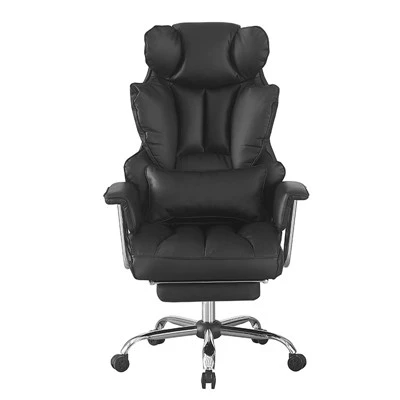
First up, let’s talk about the stuff that gets overlooked all the time: tightening the hardware. I see this so often—someone buys a chair, puts it together, and never touches the bolts again. Over time, constant leaning, shifting, and even the vibrations from loud speakers or a subwoofer (we’ve all got that) will make every single bolt, screw, and fastener loosen up. The armrests? If they wiggle when you rest your elbows, that’s a sure sign. The base bolts that hold the gas lift in place? Those can get loose too, which is low-key scary because you don’t want your chair tipping mid-ultimate. Even the little ones that hold the lumbar support or headrest pad can shift, making those adjustable features useless.
Here’s my pro tip: do a quick bolt check once a month. Grab a standard Allen wrench (the size is usually included with your chair, stow that somewhere safe!) and go town on every visible bolt. Pay extra attention to the armrest hinges, base cross bolts, and the screw that attaches the backrest to the seat. Don’t crank them so hard you strip the threads—just enough that they feel solid, no more wiggles. Last month, a customer hit me up saying their chair’s armrests were all over the place; I told them to check the arm bolts, and they texted back 10 minutes later saying it was fixed, no tools needed beyond the included Allen key. Easy as that.
Next, let’s get into the upholstery care. Gaming chairs take a beating—energy drinks spill, crumbs from chips get stuck in the crevices, and dust builds up faster than you can say “respawn.” The worst part? If you let that stuff sit, it can stain permanently, and even break down the fabric or faux leather over time. Real talk, I’ve had chairs come back to my warehouse for refurbs where the backrest had old soda stains that never came out, just because the owner waited six months to clean it. Not cool.
So, how to clean it the right way, no ruining the material? First, always check the care label—most of our chairs have a quick guide on the tag. For faux leather (super common in gaming chairs), use a mild dish soap mixed with warm water, dip a soft microfiber cloth, wring it out super well (you don’t want water seeping into the seat padding!), and wipe down every surface. For the mesh-backed options (great for breathability in summer), use a gentle brush, like a soft toothbrush, to get crumbs out of the small holes, then spot clean any stains with the same soap-water mix. Never use harsh chemicals like bleach or Windex—those eat into faux leather and make mesh fray fast. Also, don’t soak the chair, ever. Just damp, not wet. I tell all my clients to do a 5-minute wipe-down every week when they take a gaming break, so it’s never a big chore.
Then there’s the gas lift and base—those are the unsung heroes of your chair, and they need love too. The gas lift is what lets you adjust the height, right? If you’re noticing it squeaking when you crank that lever or it’s hard to move up and down, that’s the chair begging for a little lubrication. Don’t use WD-40, by the way—WD-40 is for freeing up stuck parts, not lubricating moving parts long-term. Grab a silicone-based lubricant, which is safe for plastics and metal, and spray a tiny bit around the part where the gas lift meets the base, and also under the height adjustment lever. That’ll get rid of squeaks and make height adjustments smoother.
As for the base, that five-star metal or plastic thing on the floor? The wheels are another big one. Crumbs, hair, and dust get tangled in them all the time, making them roll weird or even stop working. Every two weeks, take a quick second to flip your chair upside down, pluck the wheels off (most just pop out, no tools needed), and pick any gunk out from the wheel axles. If a wheel is wobbly and you can’t get the gunk out, it’s probably time to replace it—we sell extra wheels for super cheap, no need to buy a whole new chair. Also, check the base for dents or cracks every few months—if you see a crack, don’t ignore it. A cracked base can break under weight, and that’s a hazard no one wants.
Now, let’s talk about the adjustable parts, because that’s what makes an ergonomic chair worth the money—if the adjustments don’t work, it’s just a fancy seat. The lumbar support pad, headrest, and armrests: these are all meant to move to fit your body, so they should stay put. I see people cranking the lumbar support all the way in and then forgetting to lock it, so it slips down while they play, and their lower back is on its own. Same with the armrests—if you don’t lock them in place, they’ll shift and end up too high or low, leading to awkward arm positioning that causes shoulder pain.
How to keep these adjustments working? First, don’t crank them too hard—over-tightening the adjustment knobs can strip the threads, making them useless. Second, every month, test each adjustment: move the lumbar support up and down, lock it, lean back to make sure it doesn’t move. Adjust the armrest height, pivot them side to side, make sure they stay where you put them. If a knob feels loose, give it a quarter turn with your fingers, no tools needed (our chairs have easy-turn knobs specifically for that). A quick check here saves you from having to replace parts later. Also, for the headrest—if it’s a pillow-style one that slips, a little trick I tell people is to tuck a small, thin towel behind it (or use a grip pad, which is cheap) so it stays in place while you’re leaning back. No more hunching because the headrest won’t stay up.
Wait, let’s not forget the seat itself. The seat cushion gets compressed over time, especially if you’re 10+ hours a day in it. Most quality ergonomic gaming chairs have high-density foam, which can last 5-7 years, but if you don’t care for it, it’ll flatten faster. Avoid sitting on the edge of the seat all the time—that puts extra pressure on the front edge, which can cause the cushion to flatten unevenly, leading to numb legs mid-session. Also, don’t drag your chair across the floor! Lifting it slightly and moving it keeps the wheels and base in good shape, and also doesn’t scratch your floor (big win if you have hardwood or carpet). If you spill something on the seat, blot it immediately with a dry cloth—don’t rub, that pushes the stain deeper into the foam. I once had a customer who spilled a whole energy drink on their chair and didn’t blot it for an hour, and we had to replace the seat cushion, which cost way more than just cleaning it right away.
Let’s also talk about small, daily habits that make a huge difference. I know it’s tempting to kick your feet up on the chair’s base while you play, but that puts extra stress on the gas lift and base, which shortens their lifespan. Also, take 2-minute breaks every hour to stand up, stretch, and adjust your chair. Not only is that good for your body, but it also lets you check if anything’s loose or off. Last tip: don’t move your chair into direct sunlight for long periods. UV rays break down faux leather and plastic, making them crack and fade way faster. If your setup is near a window, get a curtain or a chair cover to protect it.
At the end of the day, maintaining an ergonomic gaming chair isn’t some complicated chore—it’s just taking 10-15 minutes a month to check a few parts, keep it clean, and use it the right way. That chair is an investment in your back, neck, and all those hours you spend gaming, so it deserves a little TLC. If you’re in the market for a new ergonomic gaming chair, or need replacement parts like wheels, knobs, or lumbar pads, hit us up to chat through what you need. We’re not just a supply company—we’re gamers too, so we get exactly what you need to keep your setup working for you.
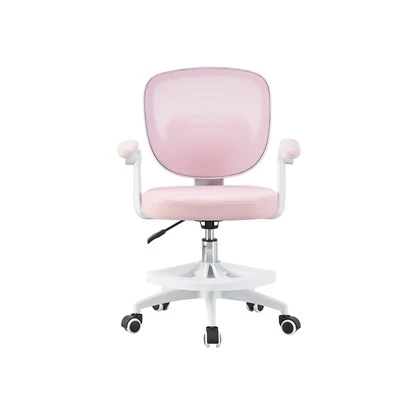
Swivel Kids Chair REFERENCES
Ergonomic Chair Maintenance Guidelines, International Ergonomics Association, 2022
Gaming Chair Upholstery Care Guide, Gaming Equipment Manufacturers Association, 2023
Lubrication Best Practices for Office and Gaming Furniture, Furniture Industry Research Association, 2021
Bazhou Handsome Furniture Co., Ltd.
Bazhou Handsome Furniture Co., Ltd. is one of the most professional ergonomic gaming chair manufacturers and suppliers in China, featured by quality products and good price. Please rest assured to buy bulk ergonomic gaming chair made in China here and get pricelist from our factory. Customized orders are welcome.
Address: NANLIU VILLIAGE ,BAZHOU CITY,HEBEI PROVINCE,CHINA
E-mail: Handsome01@handsomechair.com
WebSite: https://www.handsome-chair.com/
